How to Calculate Weighted Grade Average
Weighted average is useful when every grade does not have the same importance. In the Średnia Ocen app, enter grades, add weights, and Średnia Ocen does the rest for you.
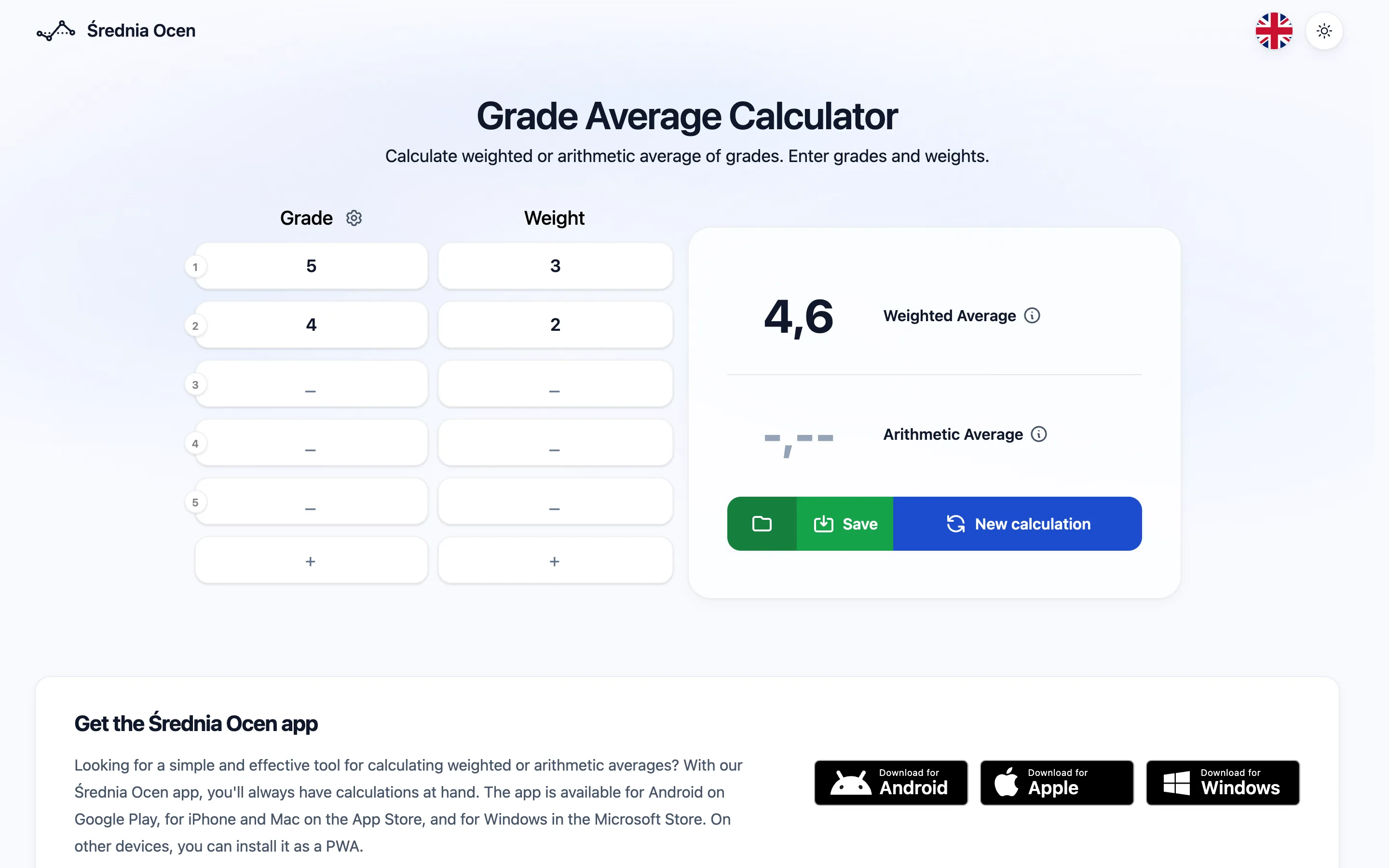
Enter test grades directly into the calculator, and the result is calculated automatically.
Works offline
After loading, you can keep calculating without internet.
Auto recovery
Draft grades are restored after closing the tab.
Save and load
Save calculations by name and return to them later.
Dark mode
Switch the look to match your environment or preference.
How to calculate weighted grade average
- 1 Prepare the grades and weights you want to calculate.
- 2 Open the Średnia Ocen app.
- 3 Enter each grade one by one in the Grade column.
- 4 Add the weight of each grade in the Weight column.
- 5 The calculator automatically shows the weighted average.
- 6 Use New calculation when you want to start again.
Calculating Weighted Average
To calculate the weighted average of grades, you need the values of individual grades and the corresponding weights for each grade. Follow these steps to calculate the weighted average:
- 1 Make sure you have the grade values and corresponding weights available.
- 2 Multiply each grade value by its corresponding weight.
- 3 Sum all the resulting products.
- 4 Sum all the weights.
- 5 Divide the sum of products by the sum of weights.
Manual weighted grade average formula
Example substitution into the formula
For example, enter grade 5 with weight 3 and grade 4 with weight 2. Substitute the products into the formula and divide by the sum of weights.